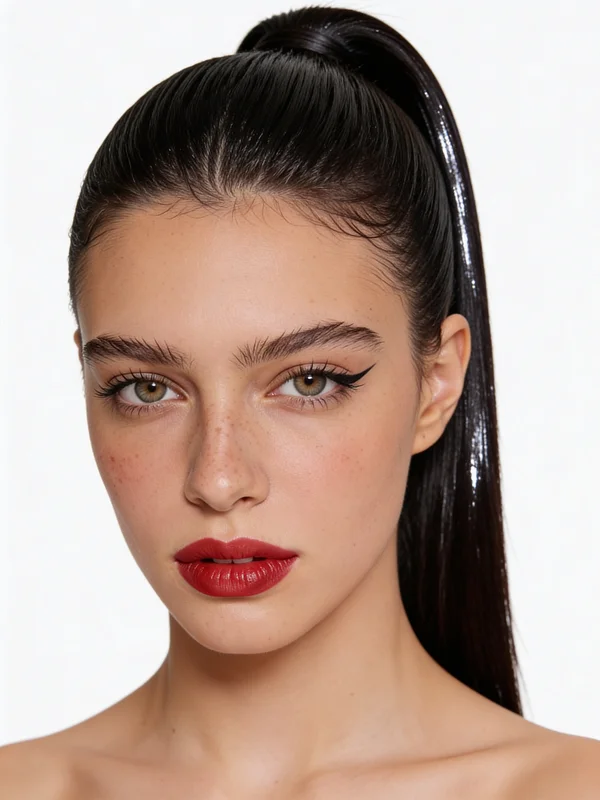
Hero Crop
Centered glamour portrait
A direct studio crop with crisp liner, balanced brows, and a saturated lip designed for premium beauty positioning.
Build polished beauty references before the frame moves into Seedance 2.0.
This generator is designed around professional makeup direction rather than disposable filters. Use it to shape liner, lip color, brow structure, and complexion finish in a way that still respects facial identity and real skin texture. On Seeddance, that makes the output more useful as both a final portrait and a Seedance 2.0-ready reference frame.
The hero frame shows the kind of clean beauty styling that works well for campaign planning, portrait approvals, and Seedance 2.0 storyboards.
The reference set keeps the same subject identity while shifting crop, angle, and emphasis. That consistency is what makes the generator practical for Seeddance workflows instead of just visually attractive one-offs.
A direct studio crop with crisp liner, balanced brows, and a saturated lip designed for premium beauty positioning.
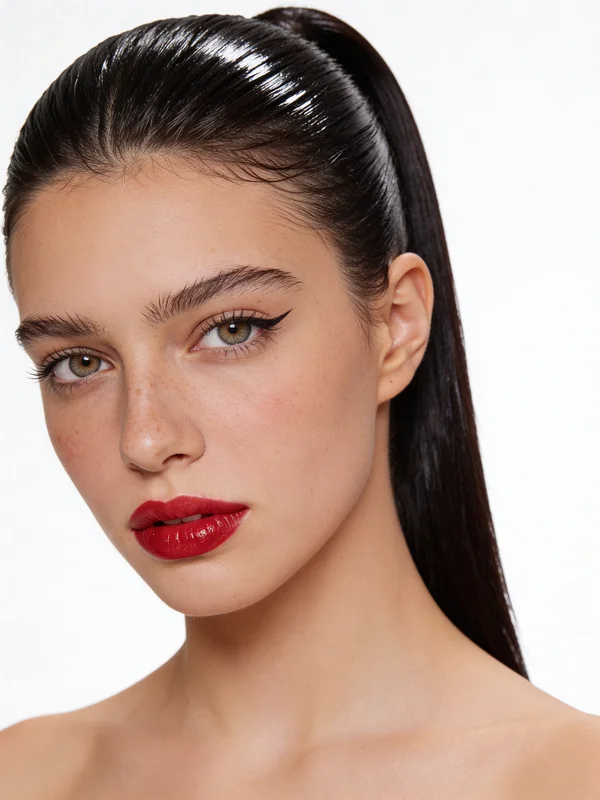
A slightly turned pose that keeps the makeup language stable while adding motion and editorial tension to the portrait.
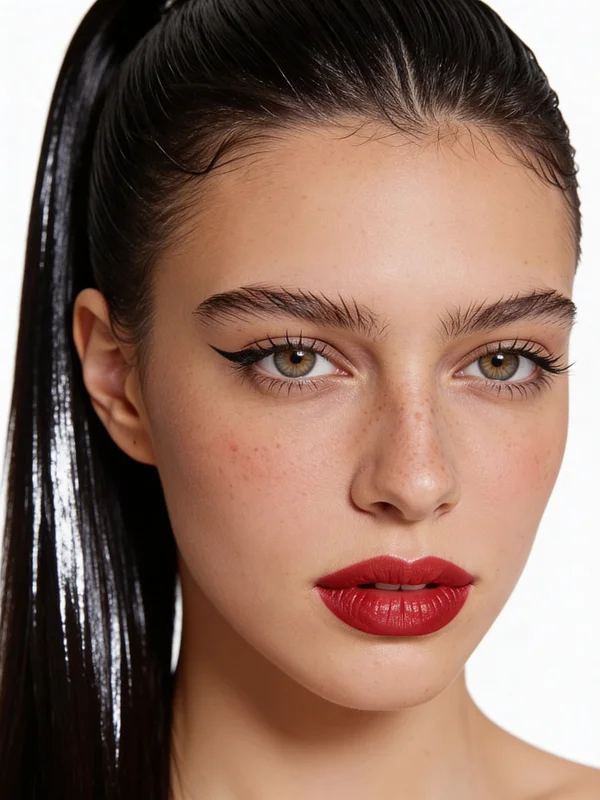
A close crop that keeps freckles, lash definition, and lip texture visible, making the edit feel built into the portrait rather than pasted over it.
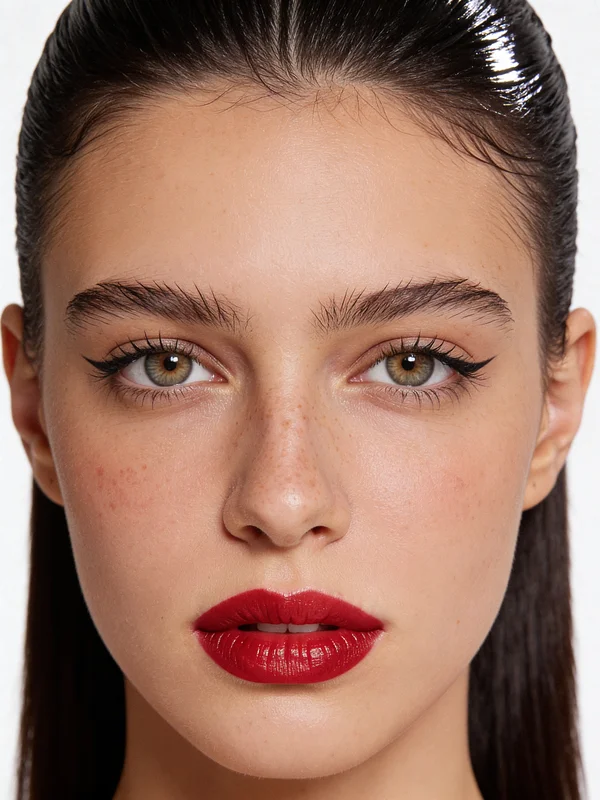
A clean front view that reads well in landing pages, key visuals, and Seedance 2.0 source image selection.
The goal is not just to add color. The goal is to create a portrait that can hold up as a believable beauty image and as a reliable Seedance 2.0 reference.
Liner, lips, brows, and complexion read through the face instead of floating above it like an overlay.
The output is strong enough to use in beauty concept boards, client sign-off rounds, and campaign pre-production.
You can push glam direction without losing the specific person, which matters when the image becomes source material for later animation.
Stable styling and clean composition make the portrait easier to carry into image-to-video without fighting the model.
The reference page suggests a beauty-edit use case, but on Seeddance the tool is more valuable as a bridge between ideation, portrait refinement, and Seedance 2.0 motion design.
The best results come from specifying makeup finish, light quality, crop, and mood instead of only asking for 'makeup.' That gives you a portrait worth keeping for Seedance 2.0 continuity.
This page is set up so the beauty frame can move cleanly from idea to refined source image and then into a broader Seedance 2.0 pipeline.
Open text-to-image for net-new beauty concepts, or open image-to-image if you already have a face you want to preserve.
Refine liner, lip color, complexion finish, crop, and lighting until the portrait feels stable enough to reuse.
Use the final portrait as a polished deliverable or as source material for a Seedance 2.0 image-to-video shot.
These answers are written for the Seeddance workflow around the reference page, not as a generic beauty-tool FAQ.
A simple filter usually adds color on top of the image. A stronger AI beauty edit respects skin texture, facial structure, highlight placement, and the overall light in the portrait, so the result feels more photographic and more reusable.
Use text-to-image when you are still exploring casting, glam direction, or campaign mood. Use image-to-image when the identity of the real subject matters and you want that face to survive the beauty edit.
Because a stable portrait makes motion easier to direct. If the makeup, crop, and identity are already clean in the source image, Seedance 2.0 has a stronger visual anchor when you later animate the frame.
Be specific about eyeliner shape, lip finish, brow structure, skin texture, camera distance, and light quality. The more precise the beauty brief, the more likely the output will feel intentional instead of generic.
This page should not be isolated from the rest of Seeddance. It works best when connected to the image tools that either create the first look or refine a real face into the same direction.
Generate a beauty-led concept frame from scratch when you want to explore styling before you commit to a subject or reference photo.
Keep a real portrait and push it toward the same makeup brief with more control over identity, framing, and surface detail.
Branch the same beauty setup into softer editorial, stronger glam, or cleaner campaign directions without rebuilding the portrait from zero.
Use your own face, mood board, or lighting reference when you need the output to stay close to an approved beauty direction.
The generator page is the entry point, but these model pages help when you need to understand where to push detail, editing control, or the final motion stage.
Good for quick image ideation when you want to test multiple beauty directions before selecting a lead frame.
A stronger choice when the portrait needs cleaner finish, tighter beauty control, and more reusable reference quality.
Useful when the job is more about transforming an existing portrait while preserving structure and subject identity.
Helpful for broader visual ideation when the beauty look needs to sit inside a larger campaign art direction.
Start in text-to-image if you need a fresh look, or move straight into image-to-image if the real subject is already set. Either way, the goal is the same: a polished portrait that is strong enough to stand alone and strong enough to power the next Seedance 2.0 step.